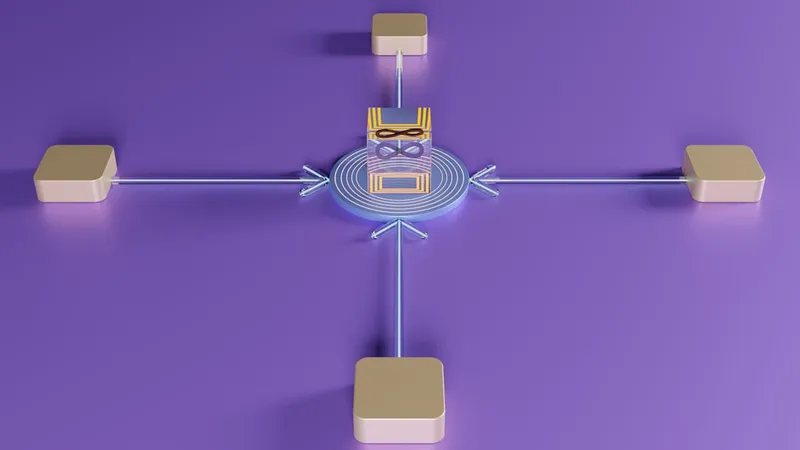
Trigger.dev is an open-source platform that lets developers write event-driven background tasks in TypeScript without managing queue infrastructure, polling loops, or webhook servers. It sits between external events (webhooks, schedules, manual triggers) and your application code, handling ingestion, routing, retries, and state persistence.
Trigger.dev removes manual queue consumer code by routing webhooks directly to TypeScript functions with built-in retry, state checkpointing, and concurrency control. It’s a code-first alternative to Zapier’s UI-driven automation builder, designed for workflows that need custom logic, long-running operations, and integration with existing codebases.
Architecture: Webhook Ingestion to Task Execution
Trigger.dev’s architecture separates concerns into three layers:
-
Ingestion layer: Accepts webhooks, scheduled triggers, and manual invocations through a hosted API gateway. Each event is assigned a unique run ID and queued immediately.
-
Orchestration layer: Routes events to the correct task definition based on registered triggers. Manages concurrency limits, priority queues, and retry schedules. Stores execution state in a persistent database (PostgreSQL by default).
-
Execution layer: Runs developer-written TypeScript functions in isolated environments. Supports long-running tasks (hours or days), step-based checkpointing, and mid-execution pauses for human approval or external data.
The platform exposes a task() primitive that wraps your function and registers it with the orchestration layer:
import { task } from "@trigger.dev/sdk/v3";

export const processOrder = task({
  id: "process-order",
  run: async (payload: { orderId: string }) => {
    // Step 1: Fetch order details
    const order = await db.orders.findUnique({
      where: { id: payload.orderId }
    });

    // Step 2: Charge payment (automatic retry on failure)
    const charge = await paymentApi.createCharge({
      amount: order.total,
      currency: "usd",
      token: order.paymentToken,
    });

    // Step 3: Send confirmation email
    await emailApi.send({
      to: order.customerEmail,
      subject: "Order confirmed",
      html: renderTemplate(order),
    });

    return { orderId: order.id, chargeId: charge.id };
  },
});
When a webhook fires or a schedule triggers, Trigger.dev serializes the payload, enqueues the task, and invokes your function. If the function throws an error, the platform retries with exponential backoff. If the task takes longer than the execution timeout, it checkpoints state and resumes from the last completed step.
Comparison: Trigger.dev vs. Queue Systems and Automation Tools
| Dimension | Trigger.dev | SQS + Lambda | RabbitMQ + Workers | Zapier |
|---|---|---|---|---|
| Setup Complexity | SDK install, task definition | Queue creation, IAM policies, Lambda config | Broker deployment, consumer code, connection management | UI-based flow builder, no code |
| Retry Primitives | Built-in exponential backoff, step-level overrides | Manual DLQ setup, Lambda retry config | Manual retry logic in consumer code | Fixed retry schedules per integration |
| State Persistence | Automatic checkpointing per step | External state store (DynamoDB, S3) required | Manual state management in Redis or DB | Limited to workflow context variables |
| Observability | Integrated tracing with run IDs, step logs, dashboard | CloudWatch logs, custom instrumentation | External logging (ELK, Datadog), manual correlation | Execution history per workflow, limited debugging |
| Cost Model | Per-task execution time + storage | Per-invocation + queue requests | Infrastructure cost (VMs, broker) + operational overhead | Per-task pricing, scales with volume |
Trigger.dev abstracts away the infrastructure setup and state management burden of raw queue systems while providing programmatic control that Zapier’s UI cannot match. The trade-off is orchestration overhead: each task invocation passes through the ingestion and routing layers, adding latency compared to direct queue consumers.
State Management and Idempotency
Trigger.dev persists execution state after each step, not just at task boundaries. This lets long-running workflows survive infrastructure failures without reprocessing completed steps.
The platform uses a combination of run IDs and step IDs to track progress:
- Run ID: Unique identifier for each task invocation. Generated when the event enters the ingestion layer.
- Step ID: Identifier derived from the step’s position in the task code. Used to resume execution after a checkpoint.
If a webhook fires twice (common with unreliable delivery guarantees), Trigger.dev checks for an existing run with the same idempotency key. If found, it returns the cached result instead of re-executing the task.
Developers can customize idempotency behavior by passing a key when triggering tasks:
await processOrder.trigger(
  { orderId: "order_123" },
  { idempotencyKey: "order_123" }
);
This prevents duplicate charges, emails, or API calls when external systems retry webhook deliveries.
Retry Logic and Failure Handling
Trigger.dev exposes three retry primitives:
-
Automatic retries: The platform retries failed tasks up to a configurable limit (default: 3 attempts). Backoff schedule follows exponential growth with jitter.
-
Manual retries: Developers can trigger retries from the dashboard or API, useful for transient failures like rate limits or downstream service outages.
-
Step-level retries: Individual steps can specify custom retry logic, overriding the task-level defaults.
export const fetchData = task({
  id: "fetch-data",
  retry: {
    maxAttempts: 5,
    factor: 2,
    minTimeout: 1000,
    maxTimeout: 60000,
  },
  run: async (payload) => {
    // Task-level retry config applies to all steps
    const data = await externalApi.fetch(payload.url);

    // Step-level override for critical operations
    const enriched = await externalApi.enrich(data);

    return enriched;
  },
});
Failed tasks enter a “failed” state and stop retrying after exhausting attempts. The platform stores error messages, stack traces, and execution logs for debugging.
Concurrency Control and Queue Management
Trigger.dev manages task concurrency through queue configurations. Each task can specify:
- Concurrency limit: Maximum number of concurrent executions (default: unlimited).
- Queue priority: Tasks with higher priority run before lower-priority tasks in the same queue.
- Rate limits: Maximum executions per time window (e.g., 100 tasks per minute).
export const sendEmail = task({
  id: "send-email",
  queue: {
    name: "email-queue",
    concurrencyLimit: 10,
  },
  run: async (payload) => {
    await emailProvider.send(payload);
  },
});
The orchestration layer uses a priority queue to manage task ordering and concurrency. Workers poll for available tasks, acquire locks, and execute them. This avoids the need for external message brokers like RabbitMQ or Kafka.
Observability and Debugging
Trigger.dev provides real-time visibility into task execution through a web dashboard and API. The integrated tracing approach differs from exporting raw logs to CloudWatch or Datadog because it correlates execution steps with run IDs and step IDs automatically. This removes manual log correlation and provides structured visibility into multi-step workflows.
Key observability features:
- Execution traces: Step-by-step logs with timestamps, inputs, and outputs. Each step is tagged with its position in the task code, making it easy to identify which operation failed.
- Error tracking: Stack traces, error messages, and retry history for failed tasks. The platform preserves context across retries, showing the full execution history.
- Performance metrics: Task duration, queue depth, and concurrency usage. Aggregated by task ID and queue name.
- Webhook logs: Raw payloads, headers, and delivery status for incoming events. Trigger.dev verifies webhook signatures using HMAC-SHA256 before enqueuing events, preventing unauthorized task triggers. Useful for debugging signature validation failures.
The platform integrates with OpenTelemetry for custom instrumentation. Developers can export traces to external observability tools like Datadog, Honeycomb, or Grafana, but the built-in dashboard provides enough context for most debugging scenarios without requiring external tool configuration.
Deployment Options
Trigger.dev supports cloud-hosted and self-hosted deployments. The cloud option provides fully managed infrastructure with no operational overhead. Self-hosted deployments run as containerized services on Kubernetes (via Helm) or Docker Compose, requiring PostgreSQL and optional Redis for caching. The platform ships as a Docker image with Helm charts for Kubernetes orchestration and environment-specific configuration.
Self-hosting gives you control over data residency, custom networking, and compliance requirements. The cloud option prioritizes speed and convenience.
Security Boundaries
Trigger.dev isolates task execution using containerized processes with resource limits (CPU, memory, disk). Each task runs in a separate container, preventing task-to-task interference. This is container-level isolation, not VM-level isolation, so the threat model assumes tasks are not actively malicious. The isolation protects against resource exhaustion and accidental network access to internal infrastructure.
The platform enforces:
- Network isolation: Tasks cannot access internal infrastructure unless explicitly allowed through environment variables or secrets. Outbound network access is unrestricted by default but can be limited using container network policies.
- Secret management: API keys and credentials are encrypted at rest and injected at runtime. Secrets are never logged or exposed in error messages.
- Audit logs: All task invocations, retries, and failures are logged with user attribution. Useful for compliance and debugging.
Webhook endpoints are authenticated using signing secrets. The platform verifies signatures before enqueuing events, preventing unauthorized task triggers.
Failure Modes
Trigger.dev handles infrastructure and external failures through automatic recovery mechanisms, but each scenario has specific behavior patterns.
Infrastructure failures fall into two categories. Database outages stop task execution because the orchestration layer cannot persist state. Queued events remain in PostgreSQL’s write-ahead log if the outage is brief. For extended outages, external systems retry webhook deliveries. Trigger.dev uses idempotency keys to deduplicate replayed webhooks, preventing duplicate task executions after recovery. Worker crashes trigger automatic failover: in-flight tasks are marked as failed and retried automatically. Checkpointed state ensures the task resumes from the last completed step, avoiding duplicate work. The orchestration layer detects worker failures via heartbeat timeouts and reassigns tasks to healthy workers.
External failures require different handling. Webhook delivery failures from upstream systems are retried with exponential backoff by the sender. Trigger.dev deduplicates using idempotency keys derived from webhook payloads or custom keys provided by the sender. If a webhook is lost entirely, the platform cannot recover it (no built-in replay mechanism for missed events). Long-running task timeouts occur when tasks exceed the execution limit. The platform pauses and checkpoints these tasks, then resumes them from the last completed step when resources are available. Developers must design tasks to be resumable by avoiding in-memory state that doesn’t persist across checkpoints.
Technical Verdict
Use Trigger.dev when you need event-driven workflows with retries, state persistence, and observability but don’t want to manage queue infrastructure. It’s a good fit for:
- Background jobs triggered by webhooks (payment processing, data syncs, notifications).
- Multi-step workflows with external API calls and human-in-the-loop approvals.
- Scheduled tasks that need durable execution guarantees (daily reports, cleanup jobs).
Avoid it if:
- Your tasks are simple, stateless, and complete in seconds (use serverless functions instead).
- You need sub-second latency (the orchestration layer adds overhead).
- You already have a mature queue system (SQS, RabbitMQ) and don’t need the abstraction.
The platform handles queue infrastructure management at the cost of orchestration overhead per task. It’s faster to build and maintain than hand-rolled queue consumers but introduces an additional layer between events and execution.
Source Links
- Trigger.dev
- GitHub Repository
- Hacker News Discussion (Show HN post from February 2023, 745 points, 190 comments)